 RemoteShift
How to Monetize a YouTube Channel
You can earn from your YouTube channel before reaching 1,000 subscribers — through affiliate links, services, and digital products. Full ad revenue through the YouTube Partner Program requires 1,000 subscribers plus 4,000 watch hours or 10 million Shorts views in the relevant periods. The smartest move is to pick one revenue route now and build toward YPP eligibility at the same time.
Most beginners treat YouTube monetization as a single milestone — hit 1,000 subscribers, get ads, done. That framing is too narrow. A channel becomes financially useful when it helps a specific audience and gives that audience a relevant next step. Ads may be part of the income later. They should not be the only plan, and they should not be the first one.
If you're still figuring out the basics of building a channel, start with How to Make Money on YouTube as a Beginner first, then come back here for the monetization specifics.
Build a Revenue Order Before You Chase Views
Before you add any offer to your channel, start with one question: what problem does my channel help viewers solve, and what useful next step could I offer them?
A sensible order looks like this: publish videos around one clear audience problem, learn which topics bring the right viewers rather than just the most views, add one relevant revenue path, then work toward YouTube Partner Program eligibility. Fan funding, sponsorships, and additional offers come later — only when they fit the audience you've actually built.
This sequence matters because a small, focused channel can earn from a service, an affiliate recommendation, or a digital resource before it earns meaningful ad revenue. A larger channel with no clear viewer need can still struggle to convert attention into income. Size alone doesn't determine earnings. Relevance does.
Before adding any offers, make sure you can publish useful content consistently. Read How to Create YouTube Videos: On-Camera, Faceless, and AI-Assisted Workflows to get your production process in place first.
Choose One Early Income Route
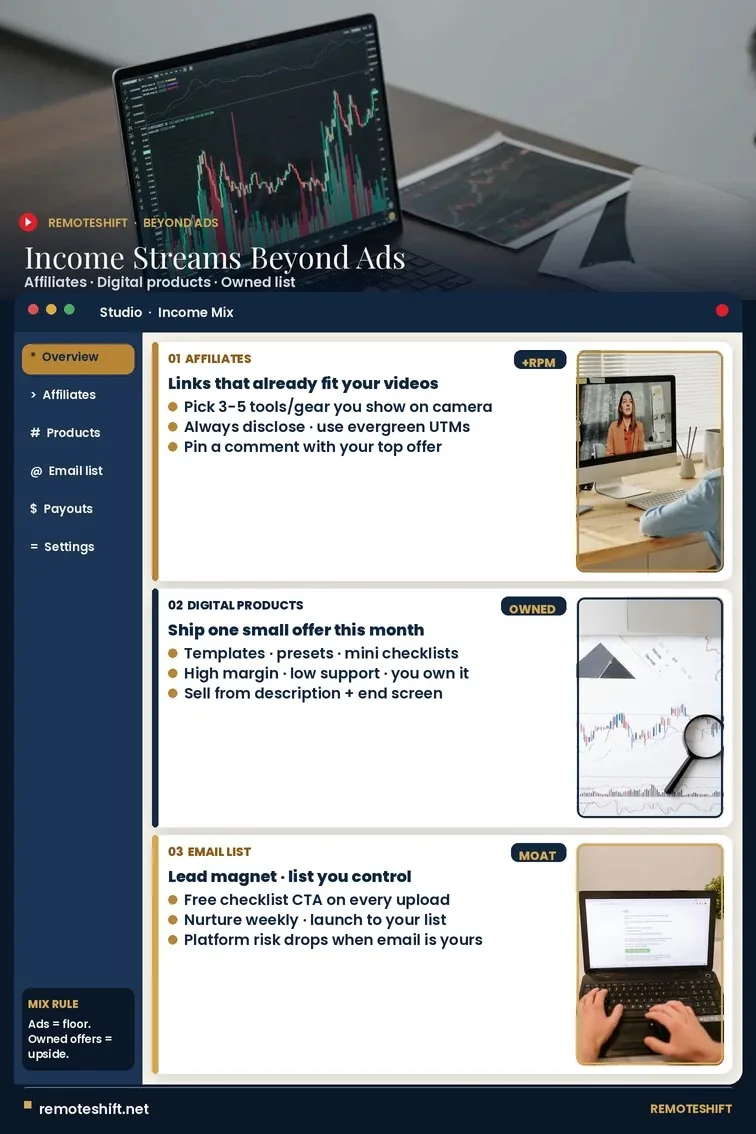
Do not activate every option at once. Pick the route that most naturally continues the value of your videos, test it, and improve it before adding a second one.
Affiliate Recommendations
Affiliate marketing means you use a tracked link to recommend a product or service and may earn a commission if someone buys through it. It works best when the product is already part of the video's solution — a home-office channel recommending equipment used in the setup, a software tutorial linking to the tool being demonstrated. Keep your descriptions clean. Recommend fewer things, explain who they're for, and disclose that you may earn a commission. Filling a description with unrelated links signals desperation, not authority.
Services
A YouTube channel can bring clients before it brings ad income. Your videos show that you understand a problem; your service gives viewers a direct way to pay for help. This could be video editing, virtual assistance, design, research, AI workflow setup, or consulting in your topic area. Keep the offer simple — who you help, what you deliver, what result they should expect. "Contact me for anything" is not a service offer.
Digital Products
Create a small digital product only when viewers repeatedly need the same resource. Good early examples include a checklist, template, tracker, spreadsheet, prompt pack, or short guide — something that saves time or reduces mistakes after someone watches your video. Do not build a large course before you have evidence that people need the outcome. A useful $9 template that solves a real problem beats an elaborate product nobody asked for.
Sponsorships and Fan Support
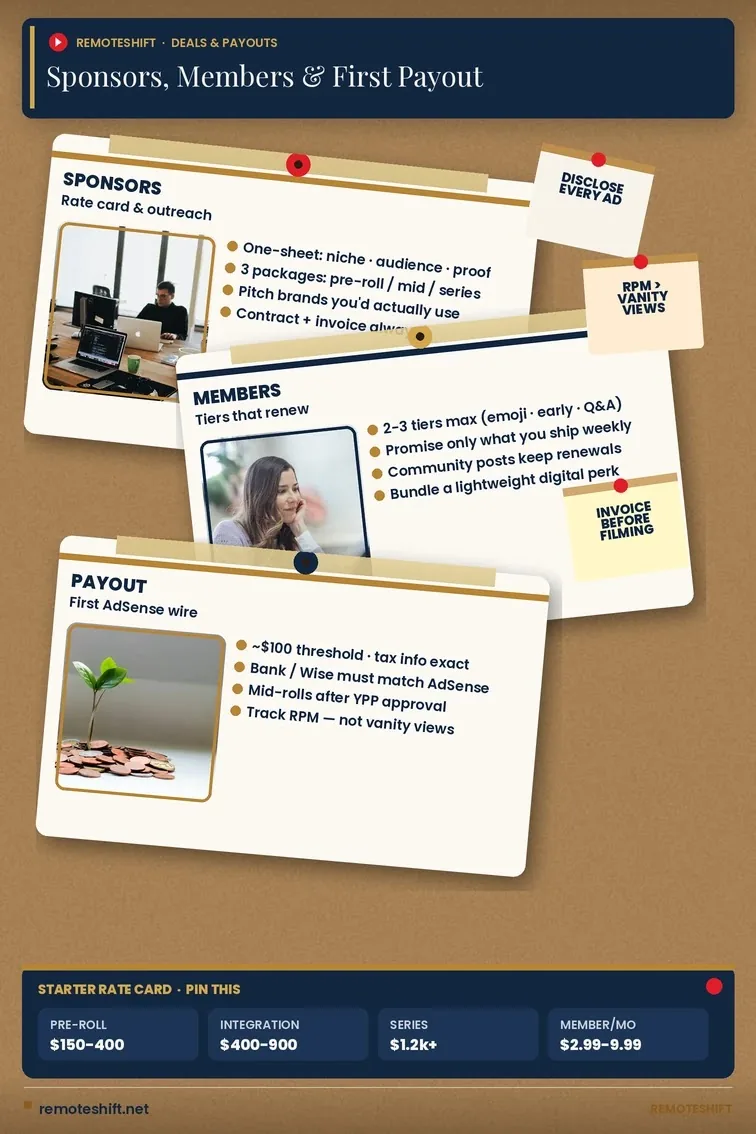
Sponsors become realistic when your channel serves a clear audience that matters to a relevant brand. You do not need millions of subscribers, but you do need trust and a logical fit between your content and their product. Fan funding, memberships, Super Thanks, and Super Chat become relevant once viewers see ongoing value from your channel. Availability depends on your country, YPP status, and the specific feature. Never accept a sponsor or promote a product that damages audience trust — one bad recommendation can cost more than it pays.
Understand the Two YPP Levels
The YouTube Partner Program has two important thresholds, and they do not unlock the same income. Understanding the difference saves you from misplaced expectations.
Earlier access (expanded YPP): In eligible countries, you can apply with 500 subscribers, 3 valid public uploads in the last 90 days, and either 3,000 valid public watch hours in the last 12 months or 3 million valid public Shorts views in the last 90 days. This can unlock fan-funding features and selected Shopping features where available. It does not unlock ad-revenue sharing from watch-page ads or the Shorts Feed.
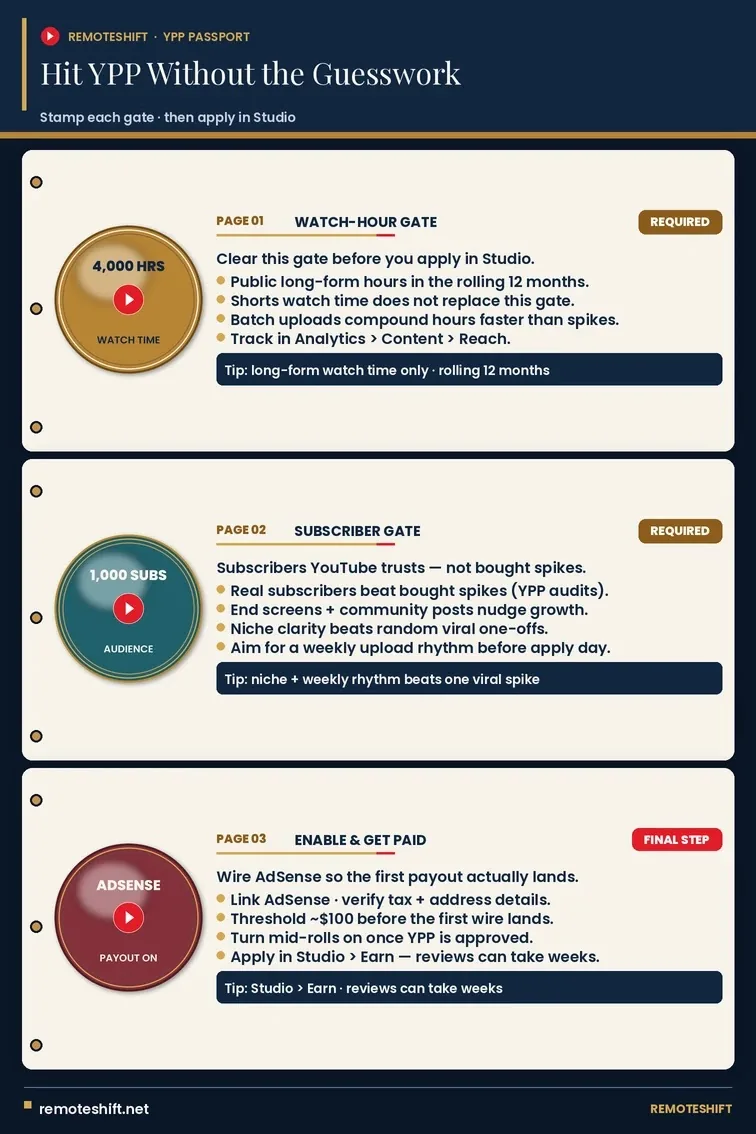
Full ad-revenue eligibility: For ad-revenue sharing and YouTube Premium revenue, you currently need 1,000 subscribers plus either 4,000 valid public watch hours in the last 12 months or 10 million valid public Shorts views in the last 90 days. Watch time from Shorts viewed in the Shorts Feed does not count toward the 4,000-hour route.
Reaching the numbers does not guarantee entry. YouTube reviews your channel as a whole. You must follow monetization policies, have no active Community Guidelines strikes, enable two-step verification, have advanced features access, and link one active AdSense for YouTube account. Check the Earn area of YouTube Studio for your actual progress. Platform rules, country availability, and available features can change, so always verify against current YouTube guidance before making plans based on specific thresholds.
Change coming on February 1, 2027: YouTube says new applicants to the full YouTube Partner Program will need 1,000 subscribers plus either 8,000 qualified watch hours in the last 365 days or 20 million qualified Shorts views in the last 90 days. Channels already in the program are not affected, and the earlier-access tier (500 subscribers plus 3,000 watch hours or 3 million Shorts views) stays the same. Check YouTube's official notice before you plan around these numbers.
Set Up Your Payment Path Before You Need It
Do not wait until you hit a threshold to discover that your identity, tax information, address, or available payment method needs sorting. The administrative work feels unimportant right up until it delays your first payment by weeks.
When applying for YPP, link one active AdSense for YouTube account through YouTube Studio. Use real legal details and confirm that your payment name and address are accurate. Google may require identity and tax information before payments can be released.
Before applying, verify that two-step verification is enabled on your Google account, that your channel has no active Community Guidelines strikes, that your legal name, address, and tax details are accurate, that YPP is available where you live, and that your available payment method works in your country. It's not exciting work — it just prevents a payment delay after you've already done the difficult work of qualifying.
Follow Disclosure and Original-Value Rules
Be direct whenever money, free products, or commercial relationships influence your content. For affiliate links, use plain language in the description: "This video includes affiliate links. I may earn a commission if you buy through them, at no extra cost to you." For paid sponsorships, declare the paid promotion in YouTube Studio and state the relationship clearly in the video or description. Disclosure requirements can vary by country, so check the rules that apply to your audience.
Original value matters as much as copyright. A channel can avoid a copyright claim and still be unsuitable for monetization if its videos are repetitive, mass-produced, or add little original work. For faceless or AI-assisted content, keep the thinking visible: original research, useful teaching, your own narration or analysis, meaningful editing, and visuals you have the right to use. AI can support outlines, captions, titles, and editing. It cannot remove your responsibility for accuracy, rights, or originality.
YouTube requires disclosure for AI content that realistically alters or generates people, places, or events in ways that could mislead viewers. Ordinary production assistance — scripts, captions, title ideas, minor cleanup — does not require that disclosure. Review YouTube's current AI disclosure guidance and channel monetization policies before scaling any AI-assisted workflow.
Track What Leads to Revenue
Views are not the final business metric. Track three levels: reach (impressions and click-through rate — whether people choose the video), viewer response (retention, average view duration, comments — whether the video holds attention and helps), and business result (link clicks, enquiries, email sign-ups, sales — whether attention becomes useful action).
Use one improvement rule at a time: if clicks are low, improve the topic, title, or thumbnail; if people drop off early, improve the first 30 seconds and structure; if viewing is good but nobody acts, improve the relevance of your offer or call to action. Change one major thing between videos. Otherwise you won't know what helped.
For a deeper look at what tools support this kind of tracking and production workflow, see Best YouTube Tools for Beginners: Free, Paid, AI, and Automation Tools.
Your 30-Minute Monetization Map
Open a blank document and finish these four lines before you do anything else: My audience watches because they need help with ______. The first useful thing I could recommend or offer is ______. The one action I want a viewer to take after a relevant video is ______. The proof I need before expanding is: clicks, enquiries, sales, or repeat questions.
Choose one route. Test it honestly. Improve it once with evidence. Do not add ads, affiliate links, products, sponsors, and services all in the same week. The channel that picks one thing and does it well almost always beats the channel that launches five revenue streams and masters none of them.
Frequently Asked Questions
Can I earn from YouTube before reaching 1,000 subscribers?
Yes. Affiliate commissions, services, digital products, and some sponsorships can happen before full YPP ad eligibility. Full ad-revenue sharing requires the higher YPP threshold and a successful channel review, but income doesn't have to wait for that milestone.
Does 500 subscribers mean I can earn ad revenue?
No. The lower expanded-YPP threshold can unlock selected fan-funding and Shopping features in eligible countries. Full ad-revenue sharing currently requires 1,000 subscribers plus the higher watch-hour or Shorts-view requirement.
Why do ads appear on my videos when I'm not monetized?
YouTube can show ads on content even when the creator is not yet eligible for a revenue share. Ads appearing on your videos does not mean your channel is earning from them.
Can a faceless or AI-assisted channel be monetized?
Yes, provided it follows YouTube's policies and offers original, authentic value. Repetitive, mass-produced, or lightly altered content can be rejected even if it has no copyright claim. The standard is originality and genuine usefulness, not production method.
What's the difference between affiliate income and ad revenue on YouTube?
Ad revenue comes from YouTube serving ads on your videos — you need YPP approval and viewers watching on YouTube. Affiliate income comes from viewers clicking your tracked links and completing a purchase — it can start the moment you post a video with a link, with no minimum subscriber count required.
Not sure whether YouTube is the right path for you right now? Take the free RemoteShift assessment to find the online income route that fits your skills, time, and goals.